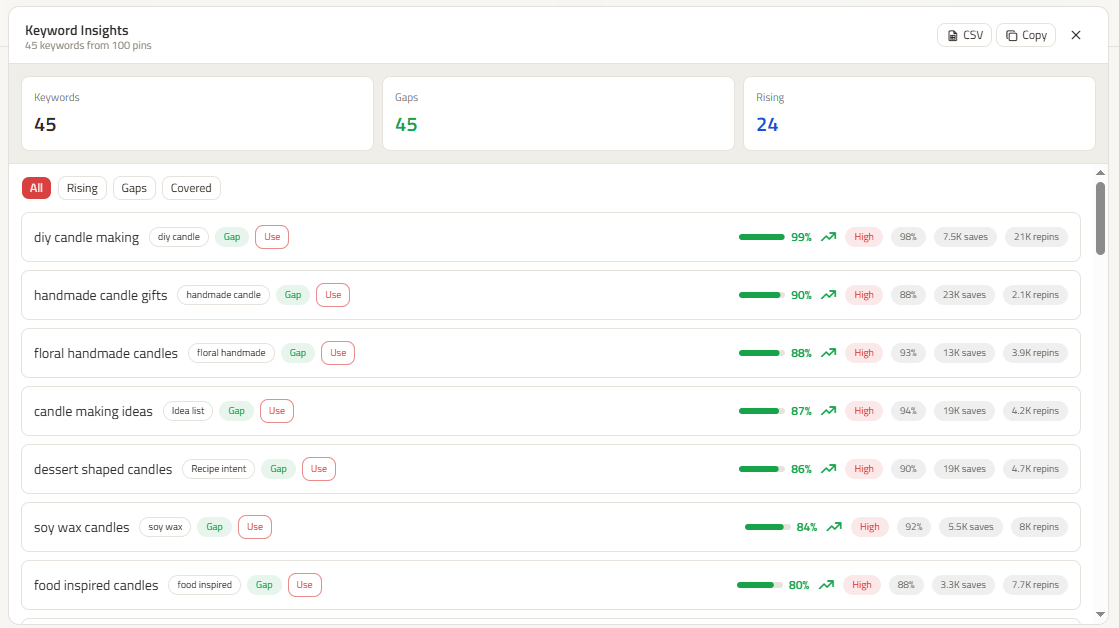
When comparing ClickToPin vs PinClicks, the key distinction is between a standalone data spy tool and an end-to-end content production platform. PinClicks focuses exclusively on search trends and competitor pin scraping, requiring you to manually export keywords and build Pins in external tools. In contrast, ClickToPin bridges search discovery (Radar) directly into long-form article writing, 5-angle Pin generation (Workspace), and scheduled distribution (Planner).
Core Workflow Comparison
| Capability | ClickToPin | PinClicks |
|---|---|---|
| Integrated Workflow | Research ➔ Write ➔ Design ➔ Schedule ➔ Post | Keyword & Pin research tool only |
| Search Intelligence | Live Pinterest SERP extraction & keyword radar | Historical keyword search database |
| Article Generation | SEO & AI-optimized long-form article creation | None (must write content externally) |
| 5-Angle Pin Creation | 5 coordinated titles, descriptions & 2:3 vertical visuals | None (must design pins in Canva or Photoshop) |
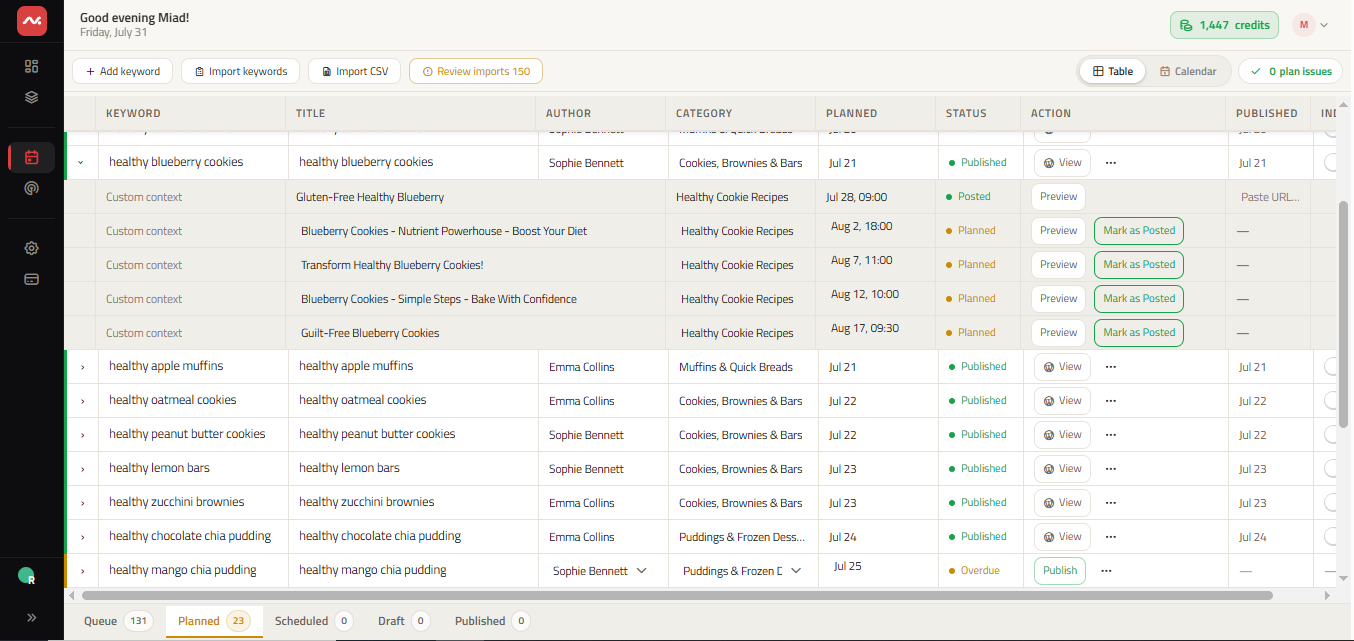
| Editorial Calendar | Interactive Table & Calendar with status queues | None |
| Posting Architecture | Paced stealth manual workflow with Today alerts | None |
| Competitor Deconstruction | Organic SERP analysis & multi-angle reverse engineering | Search volume and save rank queries |
Actionable Search Intelligence: Zero Context Switching
Keyword research only generates ROI when it quickly translates into published content. Standalone tools like PinClicks force creators to juggle multiple disconnected applications: researching in one tab, drafting in Google Docs, designing in Canva, and scheduling in spreadsheets.
ClickToPin centralizes the entire pipeline:
- Discover: Search your niche in Pinterest Keyword Research Tool.
- Organize: Queue validated topics on your Pinterest Content Calendar.
- Generate: Produce SEO-ready destination articles and 5 distinct Pin visual packages in minutes.
- Publish: Follow our paced daily routine to maintain consistent organic search momentum.
Frequently Asked Questions
Is ClickToPin an alternative to PinClicks?
Yes. ClickToPin provides live Pinterest keyword discovery while replacing the need for separate copywriting tools, graphic design templates, and scheduling spreadsheets.
Can I analyze competitor pins in ClickToPin?
Yes. ClickToPin Radar scans live search results to analyze top-ranking organic pins, overlay text placements, and keyword combinations. Learn more in our Pinterest Competitor Analysis Guide.
Does ClickToPin support multiple brands?
Yes. You can manage separate brand workspaces, distinct visual styles, and dedicated Pinterest boards from a single ClickToPin account.