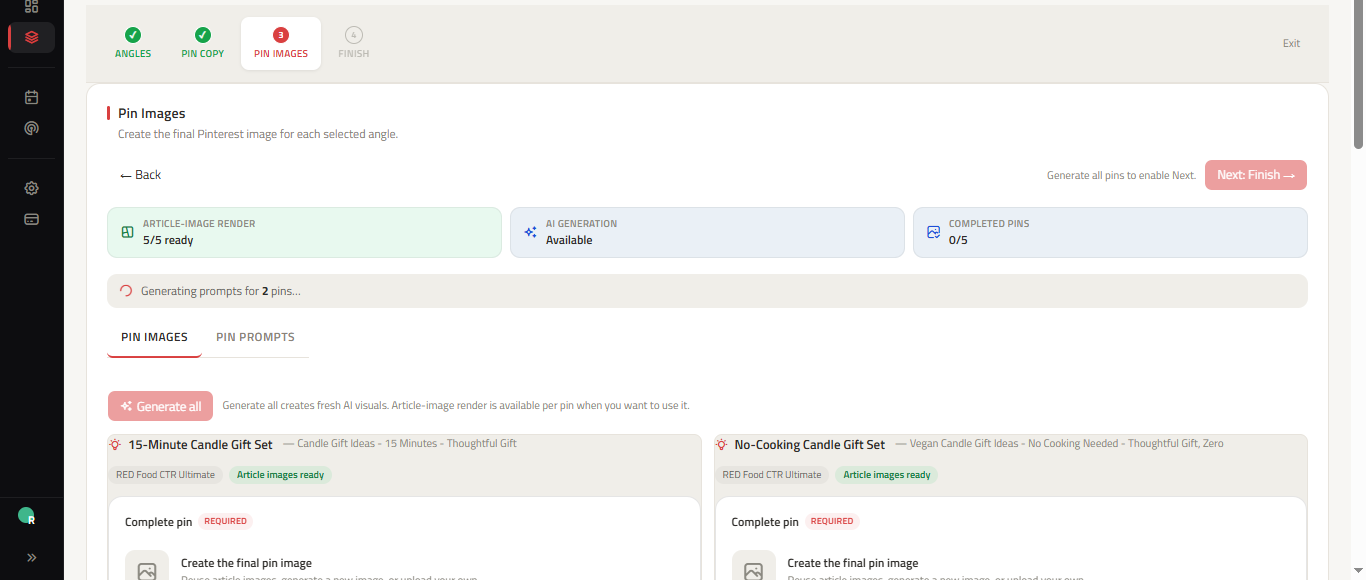
When comparing ClickToPin vs BlogToPin, the fundamental difference lies in content depth and account safety. BlogToPin operates primarily as an RSS scraper that pulls existing WordPress post images and auto-posts them to Pinterest. In contrast, ClickToPin is a full-funnel Pinterest growth engine that combines live keyword intelligence (Radar), long-form article creation, 5-angle Pin variations (Workspace), and safe, paced manual publishing (Planner).
Core Workflow Comparison
| Capability | ClickToPin | BlogToPin |
|---|---|---|
| Core Purpose | End-to-end search-led content & Pin studio | WordPress blog-to-pin auto-poster |
| Content Creation | Full AI article generator + 5-angle Pin studio | Scrapes existing blog text & featured image |
| Pin Multi-Angling | 5 distinct titles, hooks, overlays, and safe-zones | Single pin variation per blog article |
| Search Intelligence | Live Pinterest SERP extraction & keyword radar | None (assumes you know your keywords) |
| Visual Optimization | Native 2:3 vertical canvases with text safe-zones | Extracts existing horizontal or square blog images |
| Posting Architecture | Paced stealth manual workflow (ban-proof) | Direct API auto-posting (higher spam flag risk) |
| Editorial Calendar | Interactive Table & Calendar with status queues | Basic queue timeline |
| WordPress Integration | Bidirectional sync & historical post import | Read-only RSS feed ingestion |
The Danger of 1-Pin Auto-Posting vs Multi-Angle Growth
Publishing only one Pin per blog post leaves up to 80% of potential Pinterest organic search reach on the table. Single-pin scrapers like BlogToPin rely on a single visual and a single headline to capture all search intent for an entire article.
ClickToPin’s 5-Angle Pin Strategy solves this by producing five psychologically differentiated Pins for every article:
- Direct SEO Angle: Targets exact-match search queries for high search rank in the Pinterest Keyword Research Tool.
- Benefit & Outcome Angle: Highlights the practical transformation or solution.
- Curiosity & Hook Angle: Prompts clicks with contrarian insights or listicle triggers.
- Visual & Aesthetic Angle: Leverages high-contrast vertical graphics optimized for mobile feeds.
- Method & Tutorial Angle: Appeals to users searching for step-by-step shortcuts.
Why Paced Manual Posting Protects Your Pinterest Account
Pinterest’s anti-spam algorithm closely monitors posting frequency, image freshness, and automated API publishing patterns. Accounts that auto-blast dozens of pins simultaneously often experience sudden distribution drops or account shadowbans.
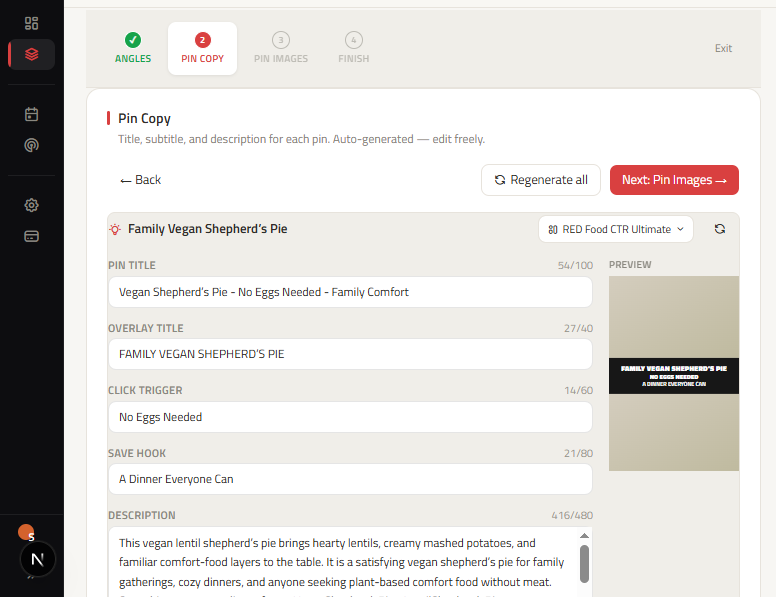
ClickToPin deliberately utilizes a Paced Stealth Manual Model:
- Your scheduled Pins are organized across an editorial Pinterest Content Calendar.
- The Today Queue notifies you when each Pin is due.
- You copy the optimized 3-segment title and description and publish directly to Pinterest in under 60 seconds.
- This ensures 100% native mobile app distribution signals that Pinterest's algorithm favors.
How to Migrate from BlogToPin to ClickToPin
Transitioning to ClickToPin requires no downtime:
- Connect Your WordPress Site: Authenticate your WordPress site in ClickToPin Brand Settings to sync your article catalog.
- Import Existing Articles: Select your best-performing blog posts and load them into Workspace Studio.
- Generate 5 Fresh Pin Angles: Create 5 fresh 2:3 vertical visuals and coordinated Pin copy for each existing post.
- Plan Distribution in Planner: Distribute the new Pins across your monthly calendar with 2–3 days of spacing between angles.
Frequently Asked Questions
Can I use ClickToPin if I already have a published blog?
Yes. ClickToPin can import articles directly from your WordPress site, allowing you to instantly generate fresh 5-angle Pin packages and vertical visuals for content you published months or years ago.
Does ClickToPin require Pinterest API access to post?
ClickToPin uses an intentional manual posting workflow. This guarantees that your account is never flagged by Pinterest's automated third-party API restrictions.
How does ClickToPin help me find keyword opportunities?
ClickToPin includes Radar, a live search intelligence engine that analyzes current Pinterest search suggestions, popular search topics, and competitor pins to extract high-intent keywords for your niche.